
Book a free Consultation
with AI Agency Cape Town
Let’s Overcome Your Business Challenges Together
At AI Agency Cape Town, we understand the unique challenges that businesses face. From streamlining operations to enhancing customer engagement, we are committed to bringing you the solutions that will drive your success. We don’t just offer services — we work as a partner, dedicated to overcoming obstacles and helping your business reach its full potential.


By booking a Consultation
We can explore the ways our AI-powered solutions will tackle your challenges, optimize processes, and lead to real, measurable growth. Let’s work together to unlock new opportunities, solve your most pressing business problems, and create a path to success. Together, we’ll grow your business and turn challenges into triumphs.
Transforming Your Business Operations
Acquire More Clients
Minimise Manual Work
Reconnect with Customers
Establish Online Trust
Inefficient Processes
Poor Client Communication
Inadequate Online Presence
Lack of Analytics
TRY IT RISK FREE
30 Day Money Back Guarantee
We stand by our quality! Enjoy a 30-Day Money-Back Guarantee—if you're not satisfied, return it within 30 days for a full refund, no questions asked.


Round-the-Clock Real Human Support
With goal alignment, customisations, and dedicated training & support, we ensure you have all the tools tailored to achieve your business goals. Choose what matters most to your business and let us help you make it happen.
What to know more
Articles about Ai Automation Services in Cape T
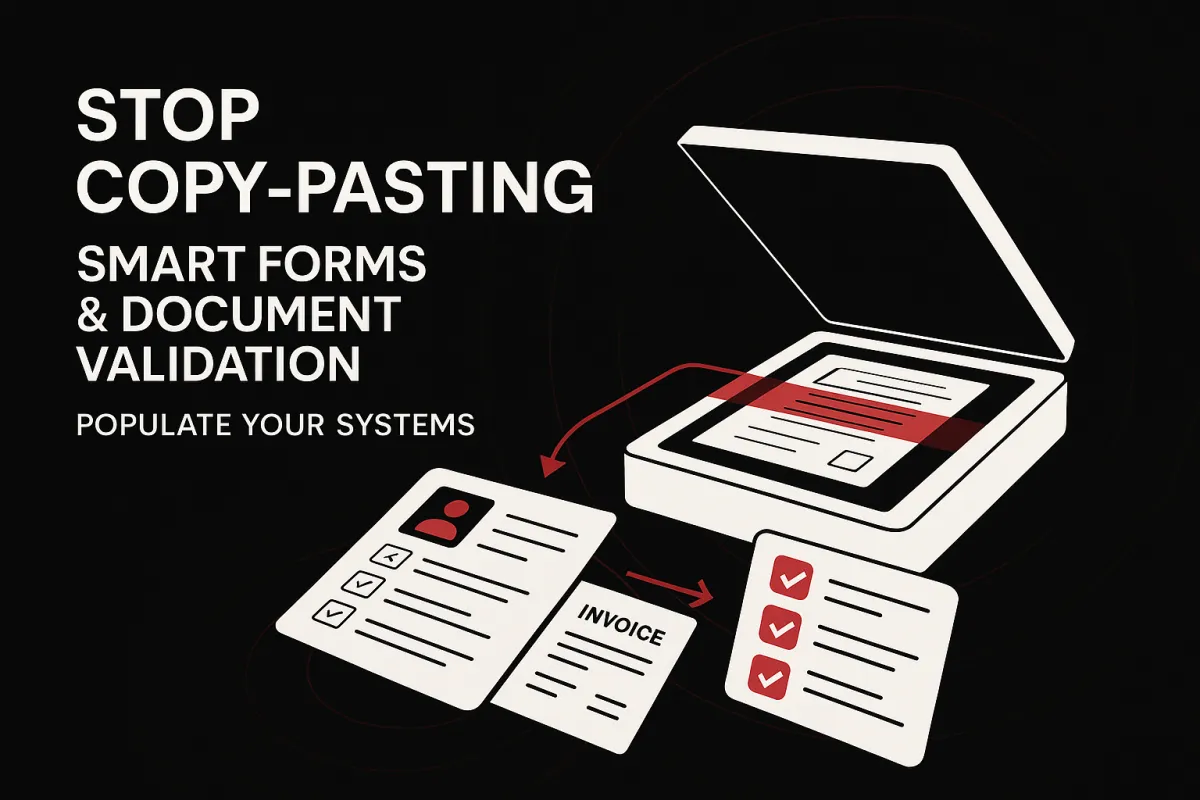
Stop Copy-Pasting: Smart Forms & Document Validation That Populate Your Systems
Stop Copy-Pasting: Smart Forms & Document Validation That Populate Your Systems
Manual data entry creates errors, slows onboarding, and pollutes dashboards. InOne CRM replaces keystrokes with automation forms: customers upload a document once, and the system performs document data extraction, ID/passport validation, and immediate field updates. Instead of retyping names, numbers, and dates, your team reviews exceptions while the platform keeps CRM data quality high—consistently and at scale.
Why traditional forms fail (and how to fix them)
Static forms capture text; they don’t confirm truth. That’s why teams chase missing fields, mismatched IDs, or fuzzy screenshots. InOne CRM’s smart forms pair structured inputs with document evidence. As soon as a user uploads an ID, passport, or proof-of-payment, the system runs OCR + AI parsing, normalizes formats (dates, phone numbers, addresses), and cross-checks values against the existing record. If everything passes, fields auto-populate; if not, the workflow requests only the specific fix—no back-and-forth email chains.
Flow (what actually happens)
Upload → OCR/AI extract → cross-check → Approve/Reject → notify and update records.
Upload: The client snaps or drags a file from mobile or desktop.
Extract: The engine reads key fields (name, ID number, issue/expiry date), even from angled photos.
Cross-check: Values are matched to contact profiles, deal data, and required-policy checks.
Approve/Reject: Green-light clean submissions; otherwise trigger a re-upload with a clear reason.
Notify & Update: Contacts, deals, and timelines update automatically; teams get alerts only when needed.
What makes this different
ID/passport validation with expiry checks, checksum patterns, and country-specific rules.
Field-level mapping ties document values to the right CRM fields (no loose attachments).
Dedupe & merge avoid duplicate records when new documents arrive from the same person.
Role-based controls ensure sensitive fields are visible only to the right teams.
Audit trails log who uploaded, what changed, and when—critical for compliance and operational clarity.
Where teams use it today
Sales & Onboarding: Collect KYC in minutes, not days; auto-create opportunities with complete data.
Finance: Validate POPs and match to invoices; reduce reconciliation loops.
Support & Compliance: Maintain up-to-date identity docs with automatic expiry reminders and re-requests.
KPIs to track from day one
First-pass approval rate (clean submissions without rework)
Re-upload rate (lower is better—your instructions and extraction are working)
Time-to-complete onboarding (from request to approved profile)
Data completeness score (mandatory fields filled and validated)
Implementation checklist (fast start)
Define your required fields per use case (sales, onboarding, finance).
Map each field to a document source (ID page, passport MRZ, POP).
Set rejection reasons and friendly re-upload prompts.
Turn on role-based access and audit logging.
Schedule a weekly “data quality” report to surface bottlenecks and fixes.
Bottom line
If it’s repeatable, it’s automatable. With InOne CRM, smart forms and document validation transform uploads into accurate records—no copy-paste, fewer errors, and cleaner analytics across the board.
Internal CTAs: InOne CRM • AI Automation
FAQ
Q: Which IDs are supported?
A: National IDs, passports, and common proofs (e.g., POPs), with country-aware checks.
Q: Where are files stored?
A: Secure cloud with encryption and 2FA; sensitive fields are permission-controlled.
Learn more…
https://inonecrm.com/home-7638-3783

Close more deals,
with less effort
and gain data
Fast-Track Success with AI
Automate Mundane Tasks and Focus
on Building Your Business
with Ai Agency Cape Town.

